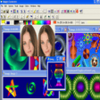
User-friendly tool for creating Flash-based banners, intros, and animations with templates and drag-and-drop editing
User-friendly tool for creating Flash-based banners, intros, and animations with templates and drag-and-drop editing
Vote (9 votes)
Program license Trial version
Developer SourceTec Software
Version glanda-6.6
Works under Windows
Vote
(9 votes)
Developer
SourceTec Software
Works under
Windows
Program license
Trial version
Version
glanda-6.6
Pros
- Intuitive drag-and-drop interface
- Rich library of templates and graphic resources
- No coding required for basic animations
- Multiple export formats, including HTML integration
- Lightweight and responsive performance
Cons
- Limited advanced animation and scripting capabilities
- Dependent on Flash technology, which is being phased out
- Interface feels dated compared to modern editors
User-friendly software for crafting Flash (SWF) animations without coding
Overview
Sothink SWF Easy is a Windows application developed to assist users in creating animated Flash (SWF) content for web banners, intros, buttons, and more. Designed with simplicity and efficiency in mind, it offers an accessible way to produce lively animations even without prior experience in Flash authoring.
Interface and Usability
The software features a WYSIWYG (What You See Is What You Get) interface, making design tasks highly intuitive. Users can drag and drop graphics, text, and effects onto a canvas, then arrange or align elements with ease. Real-time preview functionality allows for instant feedback throughout the design process. Navigation menus and toolbars are clearly laid out, which shortens the learning curve significantly.
Templates and Assets
A notable strength of Sothink SWF Easy is its library of built-in templates and customizable assets. These include pre-made banners, animated logos, greeting cards, and photo album frameworks. Ready-to-use vector shapes, symbols, and effects help users achieve professional-looking results with minimal effort. Designers can import personal images or graphics, as well as integrate music and sound effects into their projects.
Animation Features
Creating movement is straightforward thanks to a selection of animation effects and transitions. The program supports timelines, allowing for frame-by-frame adjustments and layered content management. Adding interactivity is possible by inserting actions such as mouseover or click events, though options remain basic compared to specialized Flash development environments.
Export Options
After finishing a project, users can export directly to SWF format. The software also generates the associated HTML code, simplifying integration with websites. Additional export formats like GIF, AVI, and even EXE are supported, broadening the possible applications beyond just online publishing.
Performance and Compatibility
Sothink SWF Easy is lightweight and responsive, running smoothly on most modern Windows systems. The exported files are compatible with all major browsers that support Flash, although compatibility with recent technologies may be limited due to the declining popularity of Flash online.
Who Should Use Sothink SWF Easy?
This application is well suited for beginners looking to create web-based animations or static elements without delving into the complexity of full-scale animation suites. While more advanced users may find the feature set limiting, it provides a valuable starting point for anyone needing quick, attractive Flash content for personal or small business projects.
Pros
- Intuitive drag-and-drop interface
- Rich library of templates and graphic resources
- No coding required for basic animations
- Multiple export formats, including HTML integration
- Lightweight and responsive performance
Cons
- Limited advanced animation and scripting capabilities
- Dependent on Flash technology, which is being phased out
- Interface feels dated compared to modern editors